Legacy Software Modernisation: When Is It Worth It?
Explore when legacy software modernisation makes sense, the available approaches, and how to balance costs, risks, and business value.
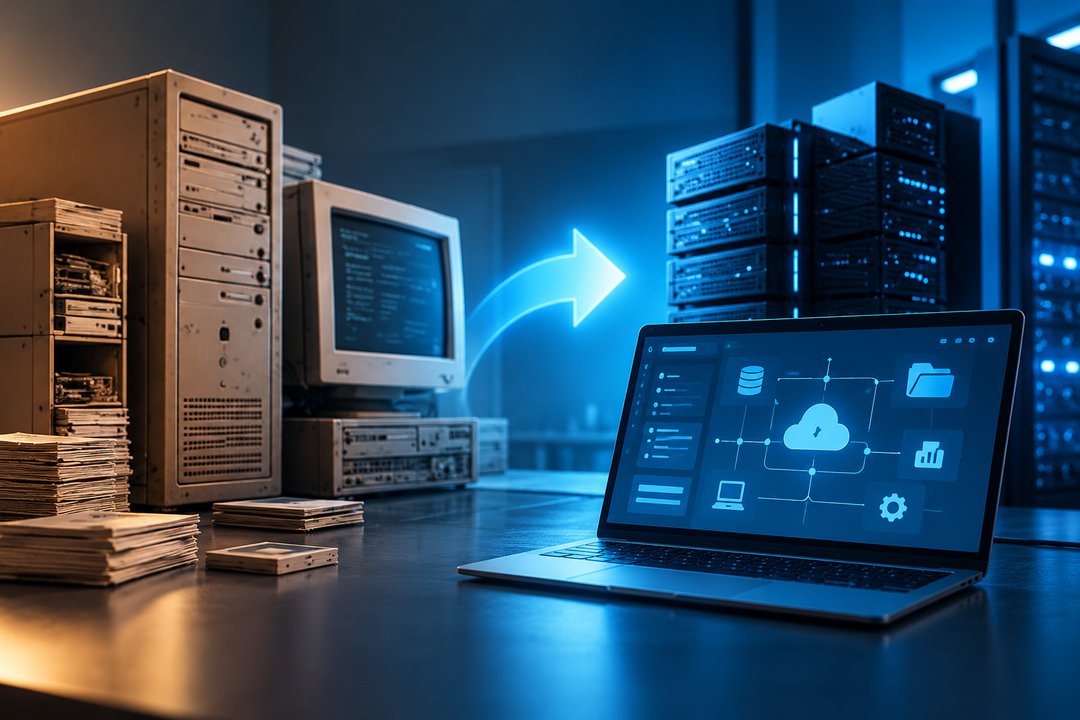
Legacy software modernisation helps businesses update ageing applications, improve system performance, and address technical limitations without necessarily replacing everything.
However, modernisation requires investment, planning, and operational adjustments. Replacing an older system simply because it uses outdated technology may not deliver meaningful business value.
The decision should depend on how the software affects your organisation today and whether improvements justify the cost.
What Is Legacy Software Modernisation?
Legacy software modernisation is the process of updating existing applications, infrastructure, or architecture to meet current business and technical requirements.
Depending on the system, this may involve upgrading components, improving integrations, migrating infrastructure, or rebuilding an application.
The objective is to improve maintainability, security, performance, and long-term usefulness.
5 Signs Your Legacy Software Needs Modernisation
1. Maintenance Costs Keep Increasing
Older systems may require specialist knowledge, unsupported dependencies, or frequent manual fixes. When maintenance consumes a growing share of your IT budget, modernisation becomes worth evaluating.
2. Integrations Are Difficult to Implement
Legacy applications may struggle to connect with newer CRM platforms, reporting tools, or cloud services. This can create disconnected workflows and additional manual work.
3. Security Updates Are No Longer Available
Unsupported software may expose businesses to vulnerabilities that cannot be addressed through regular vendor patches. This increases operational and compliance risks.
4. Performance Limits Business Growth
Systems that perform adequately for small workloads may become unreliable as transaction volumes, users, or data requirements increase.
5. Employees Depend on Manual Workarounds
Repeated spreadsheet exports, duplicate data entry, and complicated approval processes may indicate that existing software no longer supports operational needs.
Legacy Software Modernisation Approaches
Different systems require different levels of change.
| Approach | What It Involves | Suitable When |
|---|---|---|
| Rehosting | Moving an application to new infrastructure | The application works but hosting needs improvement |
| Refactoring | Improving internal code without major functional changes | Maintainability or performance is the main issue |
| Replatforming | Updating the runtime or supporting platform | Infrastructure limitations need addressing |
| Rebuilding | Developing a replacement application | The existing architecture cannot support requirements |
| Replacing | Adopting a different software product | An existing solution meets business needs |
These approaches involve different costs, risks, and implementation timelines.
When Is Modernisation Worth the Investment?
Modernisation is more likely to deliver value when the existing system creates measurable business problems.
Consider the following questions:
- How much does the current system cost to maintain?
- Are operational delays affecting employees or customers?
- Does the software introduce significant security risks?
- Will the business require new capabilities within the next few years?
- Can the system be improved incrementally?
Compare the expected benefits against implementation costs, migration risks, and disruption.
When Should You Keep Your Existing Software?
An older application is not automatically a problem.
If it remains secure, reliable, supported, and suitable for current business requirements, a complete replacement may be unnecessary.
Targeted maintenance or limited upgrades could offer better value.
How to Reduce Modernisation Risks
Start with a technical and business assessment before committing to a solution.
Document existing integrations, dependencies, data structures, and essential workflows.
Where practical, modernise in stages, validate data migration, and test critical functions before retiring the old system.
A phased approach can reduce disruption and make problems easier to identify.
FAQs About Legacy Software Modernisation
Is legacy software modernisation the same as replacement?
No. Modernisation may involve upgrading or restructuring existing software rather than replacing it entirely.
How long does legacy software modernisation take?
Timelines depend on system complexity, dependencies, data migration, and the chosen approach.
Can legacy systems integrate with modern applications?
Often, yes. APIs, middleware, and other integration methods may connect older systems with newer platforms.
Is modernisation always cheaper than rebuilding?
No. Extensive modifications to poorly structured software can sometimes cost more than developing a replacement.
Modernise Your Business Systems With a Clear Purpose
The right modernisation strategy should address actual business limitations rather than introduce technology for its own sake.
Through Custom Software and system integration capabilities, NewGen helps businesses develop solutions around their operational requirements.
Discuss your existing system and future needs with NewGen before deciding what should be upgraded, rebuilt, or retained.
Related Insights
 NewGen
Custom Software vs Off-the-Shelf Software: Key Differences
Custom software vs off-the-shelf software: compare costs, flexibility, scalability, and maintenance to find the right solution.
 NewGen
7 Business Tasks You Can Automate With AI
Discover 7 business tasks to automate with AI, from customer support and data entry to lead qualification and reporting.
 NewGen
Why Your Website Gets Traffic but No Conversions
Getting website traffic but no conversions? Discover 6 common reasons and practical ways to turn visitors into leads or customers.